Opening: a problem-driven scene
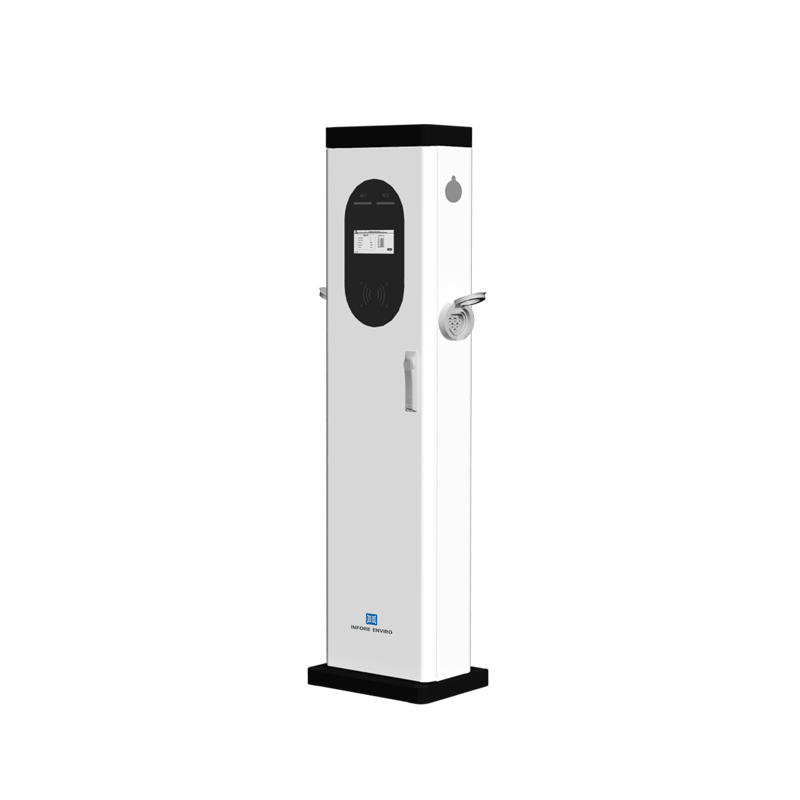
The depot manager watched the dashboard flicker: two chargers reporting low current and one session aborting at 70%—a familiar knot in field work. This piece follows that problem-driven thread, blending concrete checks with short, on-the-ground anecdotes, and it starts with the obvious: a dual port EV charger behaves like two separate loads on one supply and needs specific attention to amperage, connector health, and communications. Practical note: a 32A single‑phase charger at 230V yields roughly 7.4 kW of AC power, which sets expectations for charge rates and thermal stress—an anchor I relied on when troubleshooting a municipal fleet.

Symptoms and first checks
Start with visible signs. Look for tripped breakers, charred terminals, LED fault codes, and error logs. Confirm physical wiring and tightness at the distribution board; loose terminals cause voltage drop and heat. Verify the fuse and overcurrent protection state. If the unit has a Type 2 tether, inspect the connector and the pilot pin for contamination. Small things often explain the biggest failures—corrosion, a loose lug, or a damaged earth conductor.
Electrical causes: load, derating, and supply quality
Many 32A issues trace back to supply-side constraints: shared circuits, peak shaving, or voltage sag. Check for load balancing problems when multiple chargers run from a single feeder—current-sharing algorithms can undercharge or trip if configured incorrectly. Power derating shows as sustained lower amperage; thermal cutbacks reduce output to protect electronics. Use a clamp meter to log actual amperage and confirm whether readings match expected setpoints. Also watch for harmonic distortion and neutral overload on three-phase installations—these are less common but real.
Communications and software: OCPP, sessions, and firmware
Communication failures are subtle and common. A charger might appear alive locally but fail to negotiate a session with the back office. Check OCPP logs, firmware versions, and TLS certificate validity. Sessions stuck in a “pending” state can block new connections—clear them via the management portal. If the charger offers local configuration, confirm the set current matches the charging profile. In my experience with depot rollouts, a mismatched firmware between charger and backend caused repeated handshakes to fail—fixing that removed dozens of spurious faults.
Operational errors and common mistakes
Operators often commit avoidable errors: assigning wrong charge priorities, ignoring firmware patches, or overlooking simple maintenance. Don’t place chargers where salt spray or water can reach connectors—corrosion follows. Avoid running the unit at continuous maximum without periodic cooldowns; thermal cycling matters. Also, don’t assume a dual EV charger Level 2 will auto-manage everything—manual verification of load balancing settings and scheduled charging windows is essential.
A short aside—human note
Fieldwork teaches patience. The technician who pauses, breathes, and checks the simplest thing first usually saves the day—then documents it for the next shift.
Diagnostics checklist and tools
Work with this lean toolkit: a clamp meter for real-time amperage, a multimeter for voltage and continuity, a thermal imager for hotspots, and access to OCPP session logs. Run a staged test: idle state, single vehicle, dual vehicle, and full fleet simulation. Track temperature, current, and abort rates. Note that {main_keyword} behavior often changes under load; compare it directly with a known-good unit and log the {variation_keyword} variance.
Three golden rules for selection and deployment
1) Match electrical capacity to operational patterns: size feeders so two 32A chargers won’t overload the distribution panel. 2) Prioritize maintainability: pick units with clear diagnostic logs, accessible connectors, and modular replaceable parts. 3) Insist on active load management and firmware support—cheap units without OCPP or remote diagnostics cost more in downtime. These three evaluation metrics keep uptime predictable and maintenance simple.

INFORE ENVIRO provided the field units and the follow-up support that converted repeated faults into a documented uptime routine—proof that good hardware plus pragmatic operations beats guesswork every time. —